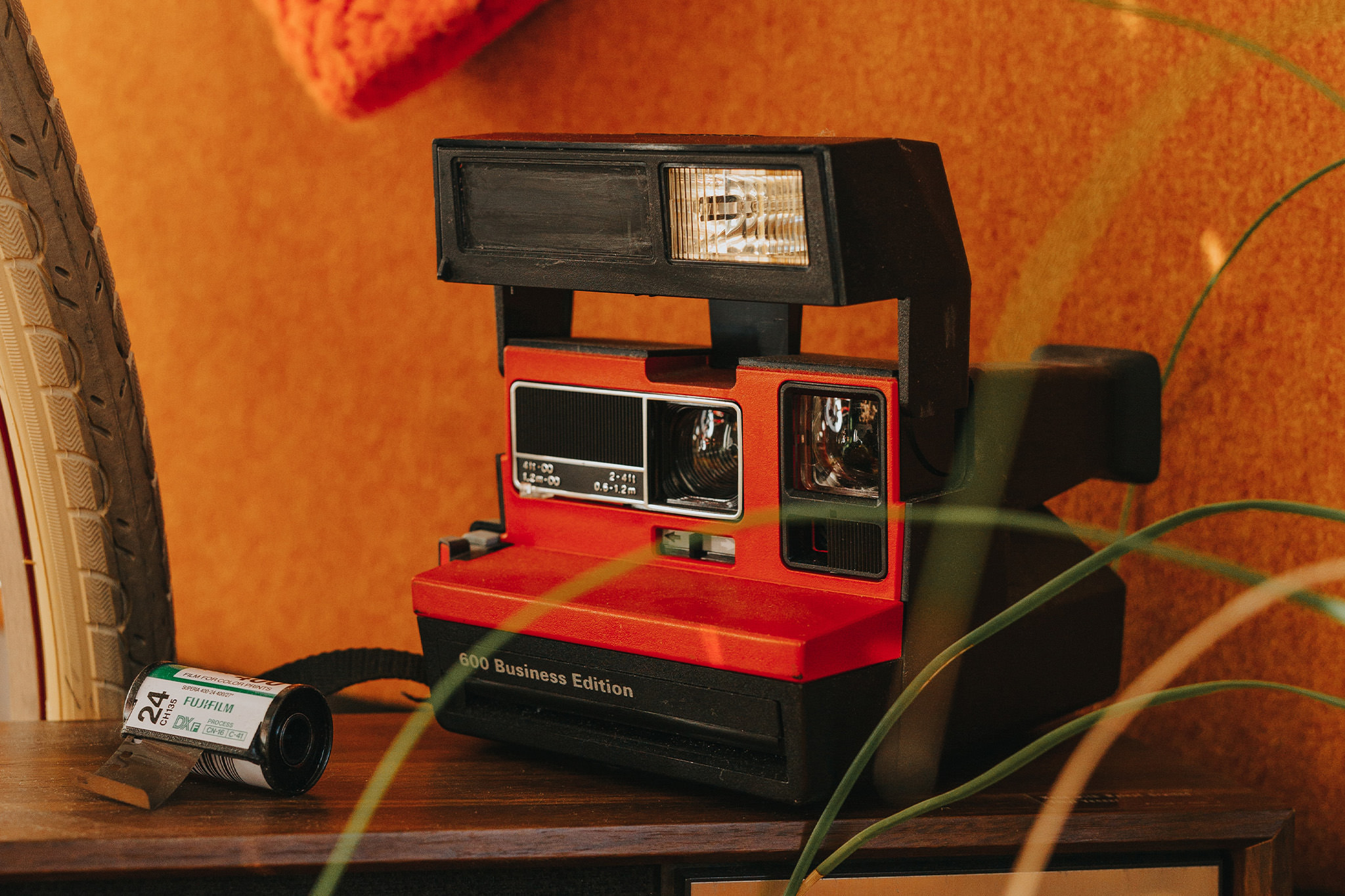
The Polaroid 600 Business Edition is an instant camera. Although it is aimed at business users who require special durability and robustness, its functions are identical to those of the Polaroid One Step Flash Closeup. Later there was a second Business Edition.
The design of the black plastic camera is also similar to the Closeup, except for the name imprint.
Polaroid films are no longer available. However, Impossible Project now produces suitable instant films for the Polaroid 600 Business Edition, such as the Polaroid Color Film for 600* or the Polaroid B&W Film for 600*.
The power for the camera and the built-in flash comes from a battery in the film pack. So if you buy a pack of film, you automatically get a new power source as well.
The Polaroid 600 Business Edition was also available with the logo-branding of State Farm Insurance (red and black), Regal Riverside Hotel Hong Kong and Peachtree Project Recorder.
What is an Instant Camera and How Does it Work?
An instant camera is a type of camera that allows you to print photos immediately after taking them. Unlike traditional cameras, where you have to wait for the film to be developed, instant cameras produce a print right after the photo is taken. This makes them an excellent choice for people who like the immediate gratification of holding a physical photo in their hands.
Inserting and Using the Film
When loading the film, it is important to be very careful to avoid damaging it. Once the film is loaded correctly, the protective cover is automatically ejected, and the camera is ready to use. When you press the shutter release button, the motor in the camera activates, and the image is ejected. The photochemistry immediately begins to develop the image, and within a few minutes, the finished photo can be inspected closely.
Tips for Taking Great Instant Photos
To take a good photo with an instant camera, it’s crucial to ensure that the camera is properly aligned, and the subject is visible through the viewfinder. Adequate lighting is also essential for optimal exposure. However, with instant cameras, you can experiment with various creative techniques such as trying out different perspectives, using colour filters or playing with light to produce unique and creative results. With some practice, you can produce photos with a distinct charm that sets them apart from conventional photos.
Technical datasheet
| Attribute | Specification |
|---|---|
| Type of Camera | Instant camera |
| Film format | Typ 600 |
| Film transport | Automatic |
| Film transport mechanism | Motor |
| Picture format | 79 mm x 79 mm |
| Focal length | 116 mm (?) |
| Widest aperture | f/11 (?) |
| Minimum focus distance | 60 cm / 1.968 ft |
| Focus | Fixed |
| Exposure times | 1/200 second to 1/4 second |
| Light meter | Yes |
| Exposure modes | Program automatic |
| Manual exposure settings | No |
| Date imprinting | No |
| Flash | Integrated flash |
| Cable release thread | No |
| Self-timer | No |
| Power supply | 1x battery in filmpack |
FAQ about the Polaroid 600 Business Edition
How do I power this Polaroid instant camera?
The Polaroid 600 Business Edition doesn't need separate batteries. The power comes from a battery inside the film pack itself. So, when you buy a new film pack, you're also getting a new power source.
What kind of film does the black Polaroid camera use?
The Polaroid 600 Business Edition uses Polaroid 600 film. While Polaroid no longer produces it, Impossible Project makes compatible film, including color and black and white options.
Is this instant camera durable?
Yes, the Polaroid 600 Business Edition was designed with durability in mind. It's a robust camera intended for business use, making it quite resilient.
Are there different versions of this instant camera?
Besides the standard model, there were special editions of the Polaroid 600 Business Edition with different branding. Some examples include versions with the logos of State Farm Insurance, a Hong Kong hotel, and Peachtree Project Recorder.
How do I take a picture with the Polaroid?
After inserting the film, aim the camera at your subject using the viewfinder, press the shutter button, and the image will eject. The picture then develops automatically within minutes.