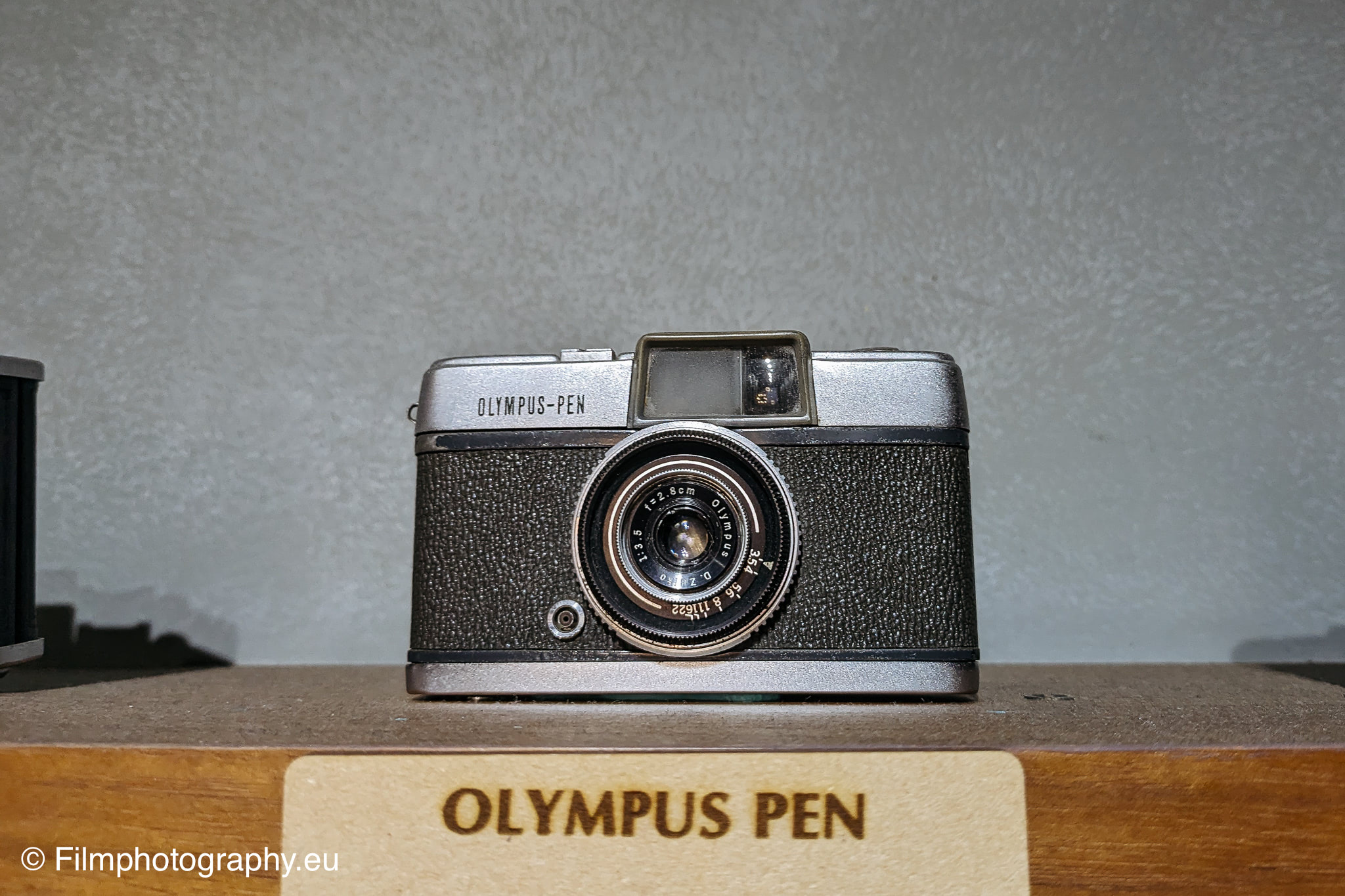
The Olympus PEN is a compact half-frame camera first introduced in October 1959. With the elegant engraving "Olympus PEN" on the front, a chrome-colored body that is partially painted gray and a gray leather finish, it stands out not only for its looks but also for its technical features.
The lens of the camera is a D.Zuiko with a focal length of 28mm and a maximum aperture of 1:3.5. The aperture range is from f/3.5 to 22, and the focusing distance varies from 0.5m to infinity, locking at 2m and 5m. There is no range finder. The lens consists of 4 elements arranged in 3 groups. Despite this compact design, it offers high image quality.
The Olympus PEN dispensed with an exposure meter and a battery. This meant that photographers using this camera had to rely on their experience and knowledge of photography to get the exposure right. The shutter, a Copal-X, allowed shutter speeds from B, 1/25 to 1/200 second.
An external flash unit can be used through a socket on the front. It can be attached to the flash shoe. There is also a thread for a tripod and a connection option for a tripod.
At the time of its introduction, the Olympus PEN was priced at 6,000 yen. The lack of a rangefinder and light meter might seem like a limitation to some, however the PEN was known for its reliability and ability to produce high quality images. Today you pay around 237,78 € for a used model.
The right choice of film for the Olympus PEN
What is the best way to equip the Olympus PEN? This model uses 35mm film, which despite being digitized is still being produced and sold.
The Kodak Gold 200* is recommended for colorful shots with the Olympus PEN, while the Ilford Delta 100* is ideal for atmospheric black and white pictures is. There are of course many other films that are compatible with this camera.
The camera exposes in a format of 24mm x 18mm, which means that you can take around 72 exposures on a standard roll of film.
One feature missing from this camera is automatic film advance. After each snapshot you are asked to stretch the film manually. For this purpose, a handy thumb wheel is attached to the back of the device, which simplifies this process.