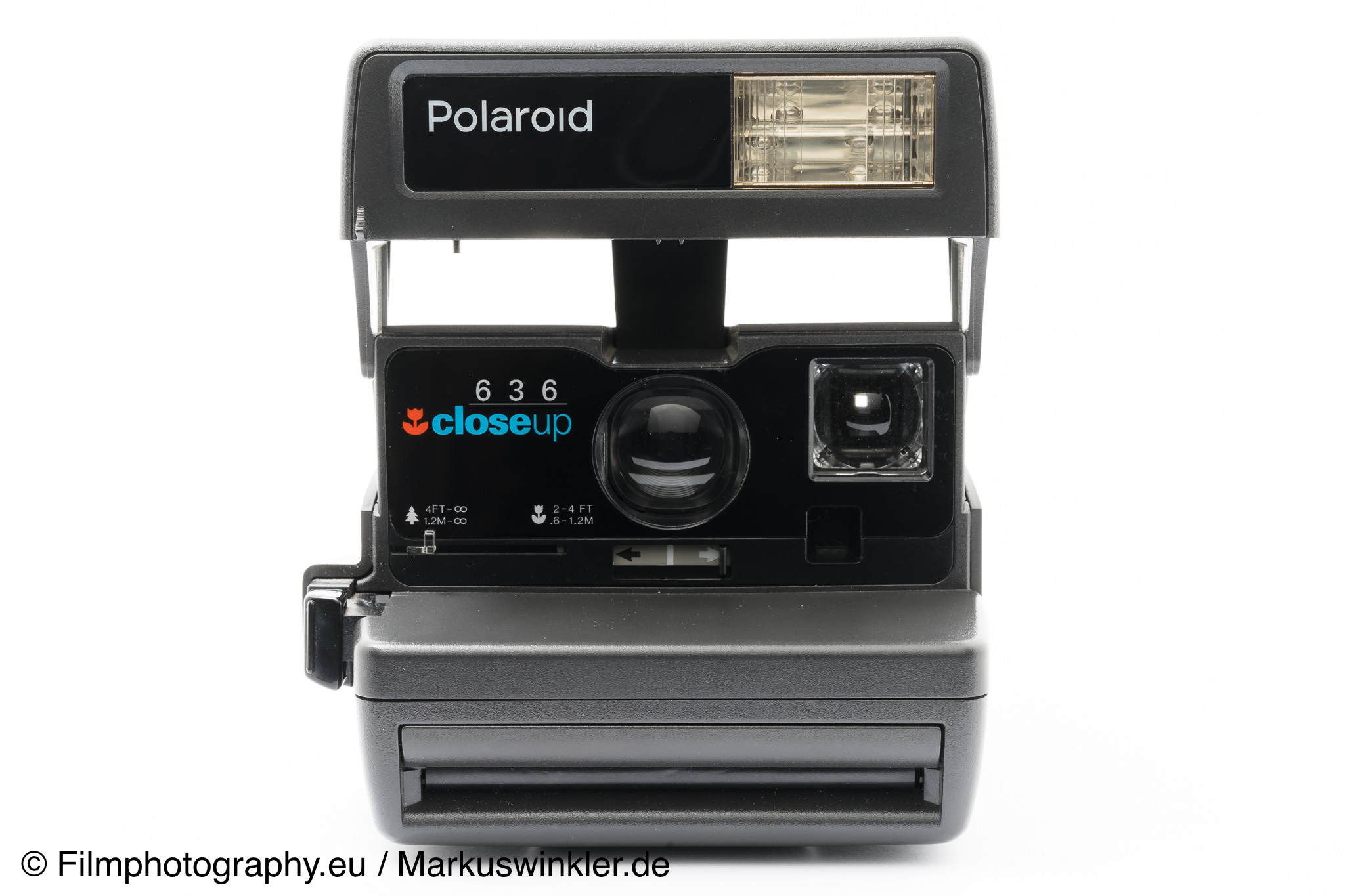
The guide can be applied to the Polaroid 636 AF and other Polaroid 600 cameras.
Polaroid 636 Closeup (CL) Guide
Opening the Camera
Grasp the top of the instant camera on the sides and flip it up until it clicks into place. If a film pack is loaded, the camera's flash charges automatically and the LED on the back lights up green.
Loading Film
The current color film for the Polaroid 636 Closeup is the Polaroid Color Film for 600*.
To insert the film pack, slide the release lever on the right side of the camera forward. The film loading door opens. Now slide the film pack with the cover sheet facing up into the camera. Hold the film pack only by the edges.
After closing the door, the camera immediately ejects the cover sheet and is ready to use.
After eight shots, the Impossible film pack can be removed. To do so, open the camera again and pull the pack out by the tab.
The camera's battery is located in the film pack.
Taking Pictures
Hold the camera in your left hand and press the shutter button with your index finger. Make sure the picture opening is not blocked by a finger.
The distance to the subject should be at least 1.2 meters. With the close-up lens, you can get as close as 0.6 meters to your subject.
Shots with Flash
The built-in flash is designed for indoor and outdoor use. The flash charging time should be about 4 seconds. When the flash is ready, the LED on the back lights up green. If the camera is open for a longer period, the flash goes into standby. To wake it up, lightly press the shutter button.
Taking Pictures without Flash
Shots without flash are possible. To do this, press the rear part of the shutter button. The camera will then take a picture without flash.
Taking Pictures with Close-up Lens
The close-up lens is designed for shots between 0.6 and 1.2 meters. Slide the adjustment lever to the 0.6-1.2 m position until it clicks. An oval frame is now visible in the viewfinder. For portrait shots, this frame should be filled by the person's face.
When the camera is closed, the close-up lens is reset.
Lighten/Darken Control
The lighten/darken control is for slightly lightening or darkening the pictures. For lighter shots, slide the button toward the white arrow. For darker shots, slide it toward the black arrow.
Care
Keep rollers clean!
The rollers in the film compartment should always be clean. If they are dirty, clean them with a damp cloth.
Do not touch the lens. To remove dust or dirt, gently wipe with a soft, clean cloth. Do not use silicone-infused cleaning cloths.
Troubleshooting
How can I solve problems?
Problem:
Camera does not eject a picture.
Solution:
Check the picture counter. If it shows 0 or, for Impossible films, 2, the film in the Polaroid camera needs to be replaced.
Problem:
Pictures with the Polaroid 636 are too bright
Solution:
Subject is too close to the camera = Stay within the shooting range when taking photos
Incorrect setting of the lighten/darken control = Check the setting and change if necessary
Problem:
Pictures are too dark
Solution:
Subject is too far from the camera = Move closer. The flash range of the 636 Closeup is a maximum of 3 meters.
Avoid bright lights, surfaces, and reflections in your picture that could falsely influence the light meter.
Incorrect setting of the lighten/darken control = Check the setting and change if necessary.
Flash did not fire = Check the flash ready light and whether the correct shutter button was pressed.
Problem:
Blurry and shaky pictures
Solution:
Flash was not used = Check if the correct shutter button was pressed.
Subject was too close to the camera.
The camera or subject moved during the shot.
The lens is dirty.
Problem:
Streaks on the pictures
The picture is not fully developed
Solution:
The development paste did not spread properly on the picture = Check if the film rollers are clean